
Unified Base
BetaOne tabbed window that runs your projects — whatever language each one is written in.
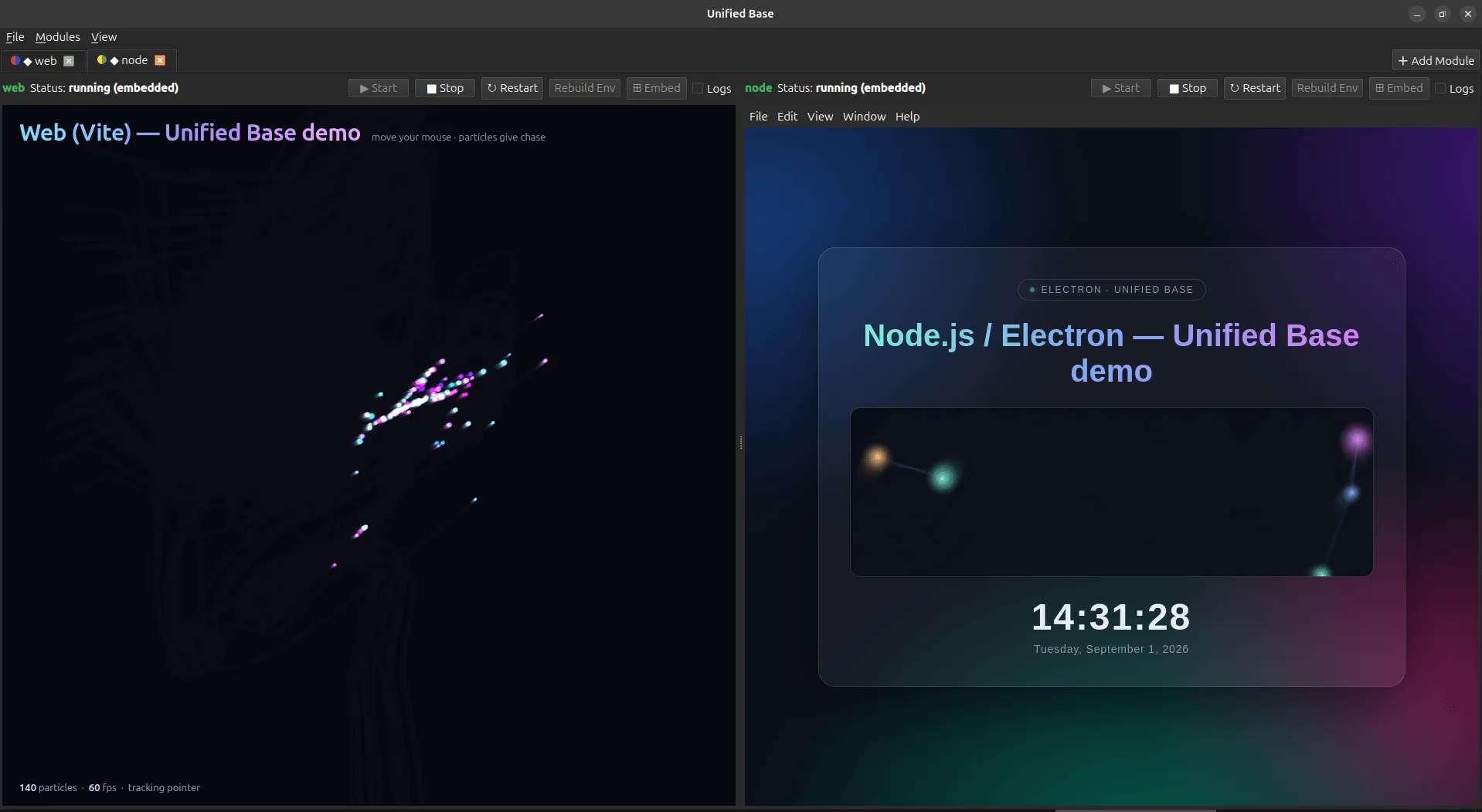
Anyone with more than a couple of side projects knows the shape of the problem: nine folders, nine ways to start the thing, nine terminals, and a window per project scattered across the desktop. Unified Base takes a folder, works out what it is, sets up its environment the way a developer would, starts it, and pulls its window into a tab.
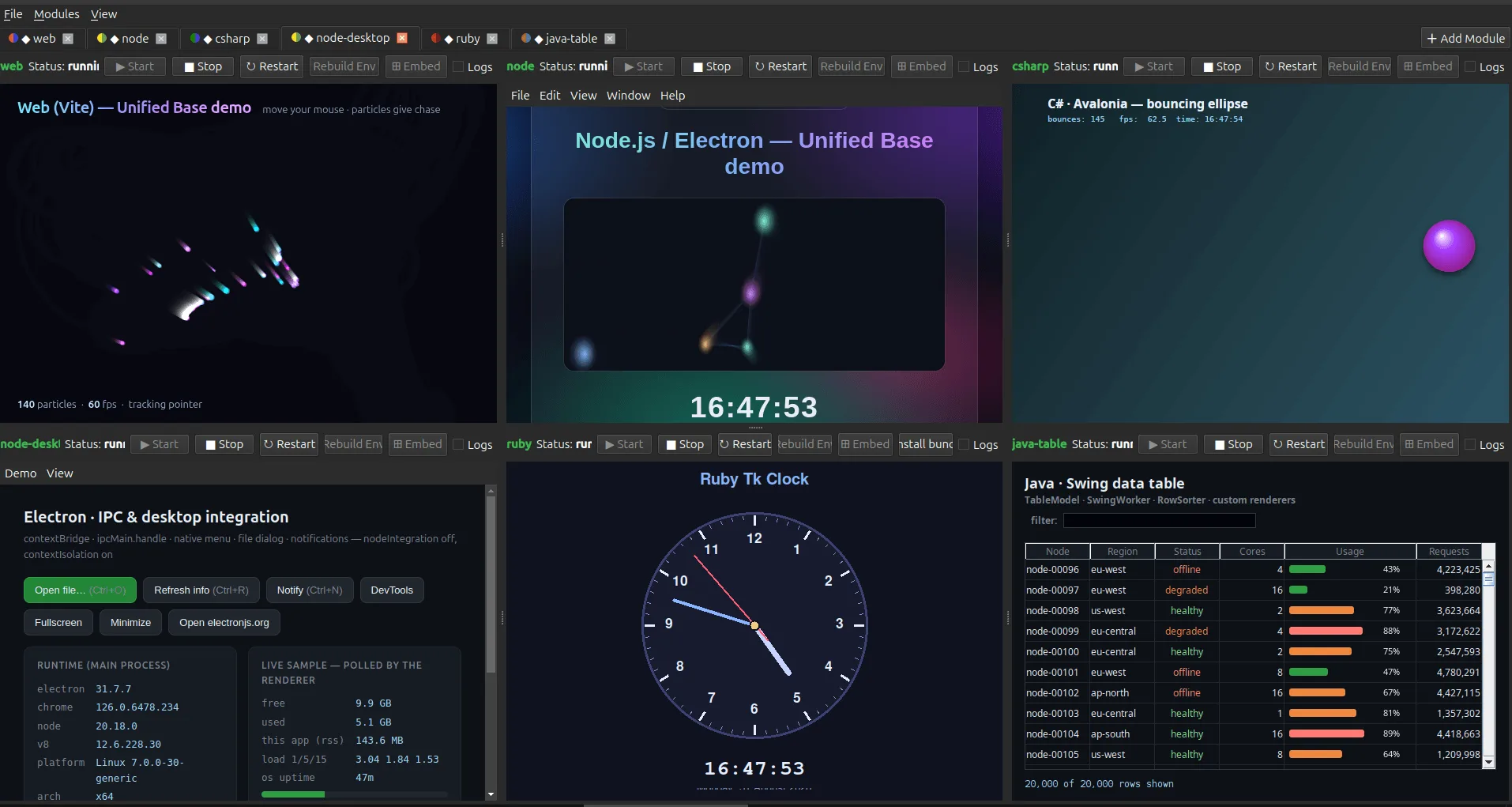
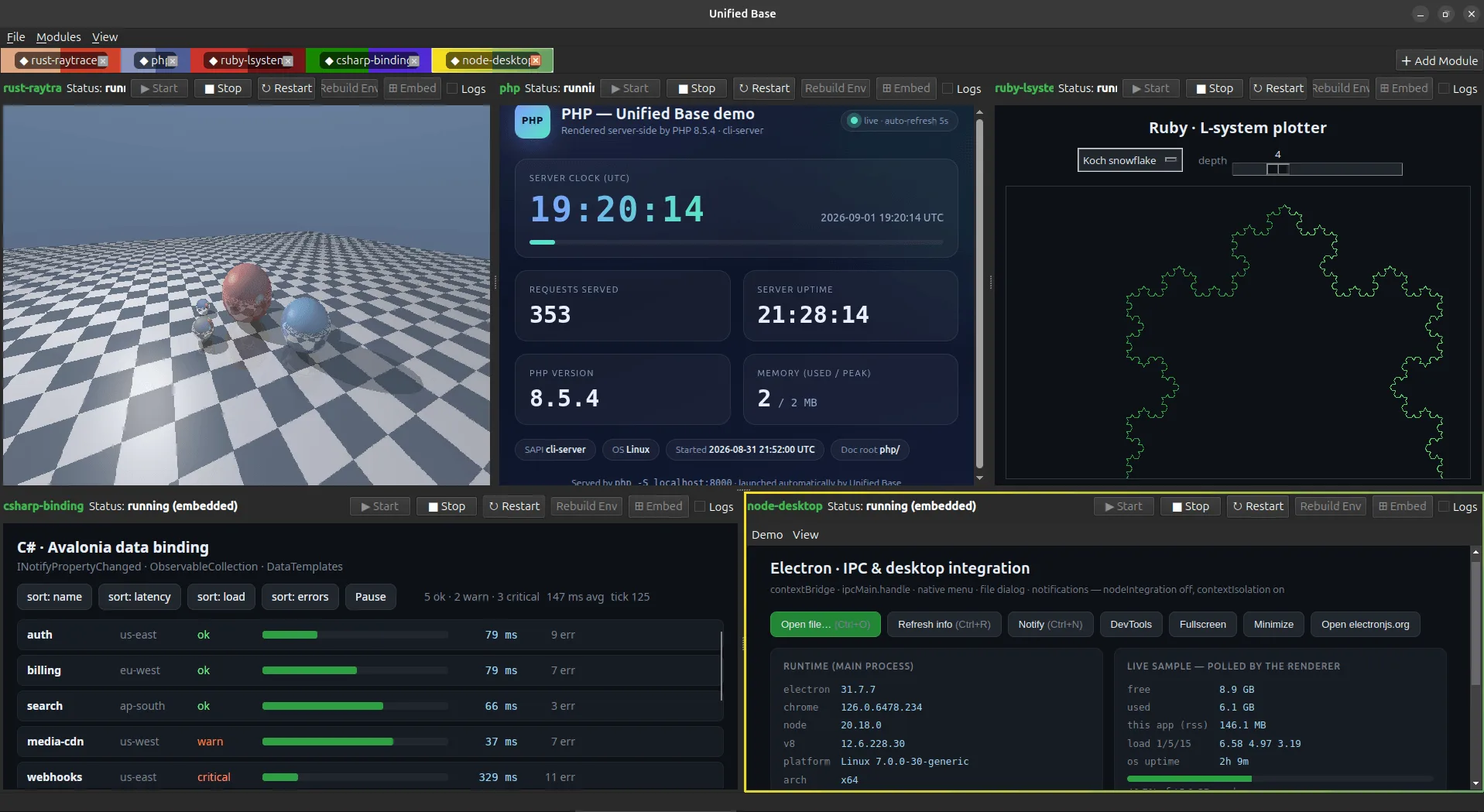
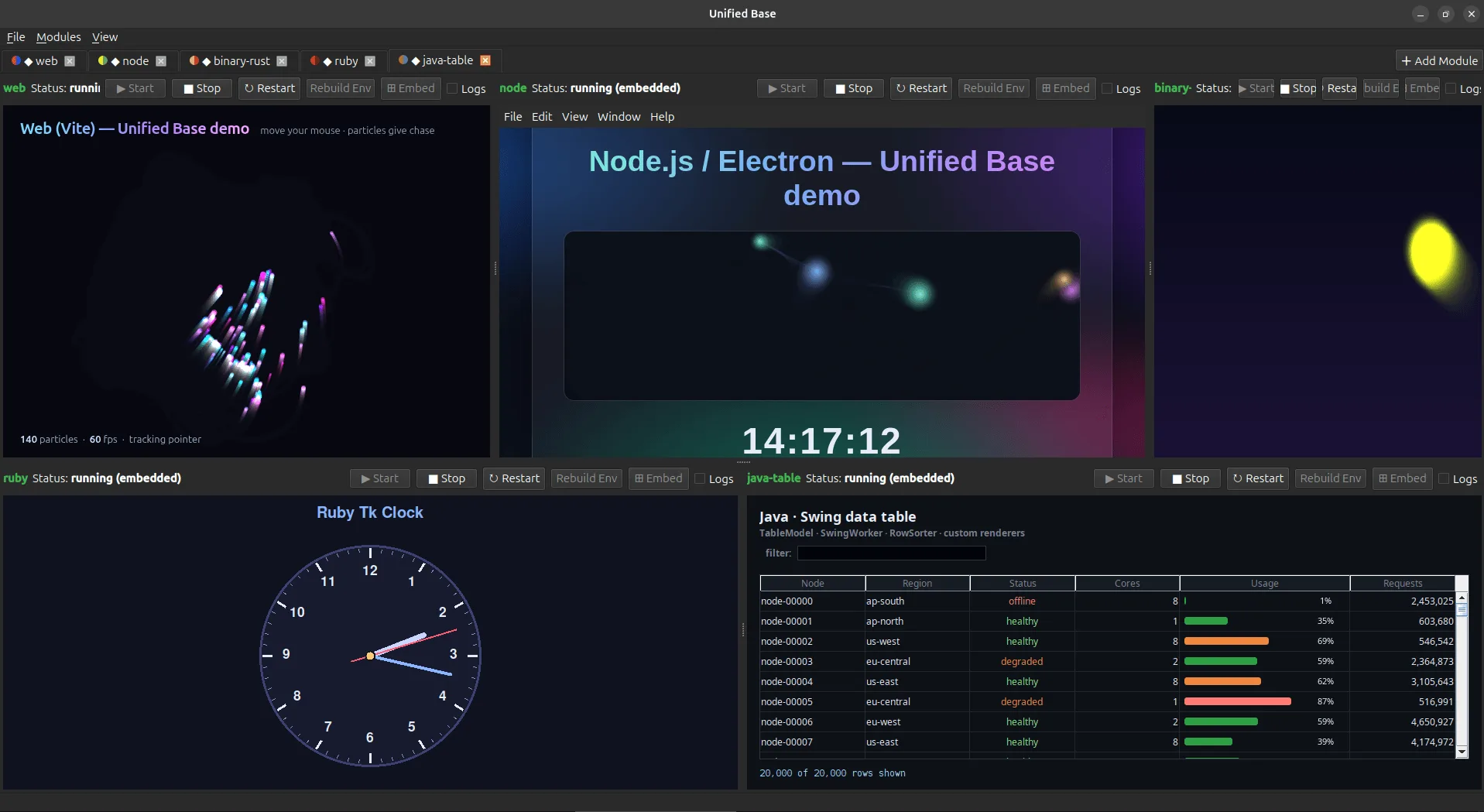
Embedding is done at the window level through X11 reparenting, which is the reason it does not care what language a module is written in. A Rust binary, a Ruby Tk script, a C# Avalonia app and a Vite dev server all end up as panes in the same window.
Runtimes it sets up for you
- Python — venv and pip, or uv if you have it. Dependencies from requirements files, pyproject (PEP 621 or poetry), .in files, and a recursive scan of the actual imports.
- Node.js and Electron — npm install, then npm start, an npm script, or electron directly.
- Native binaries — Cargo, Go, Make or CMake, built and launched; or a prebuilt executable run as-is.
- Java — Maven or Gradle, then the jar.
- Web apps — npm install, the dev server, and a Chromium window in app mode pointed at whatever URL it announced.
- C# / .NET — dotnet restore, dotnet run.
- Ruby — bundle install where there is a Gemfile.
- PHP — composer install, then the script or the built-in server.
- Docker — build the image, run the container.
Real embedding, not a launcher
- Modules are reparented into their tab as real windows, so they behave exactly as they would on their own.
- The host self-heals: when the window manager grabs a freshly mapped window back, or Qt recreates the tab’s native window, the child is re-parented under it again.
- If a module never produces an embeddable window, its tab degrades to a control panel — logs and buttons — and the module runs in its own window rather than failing.
Arranging the panes
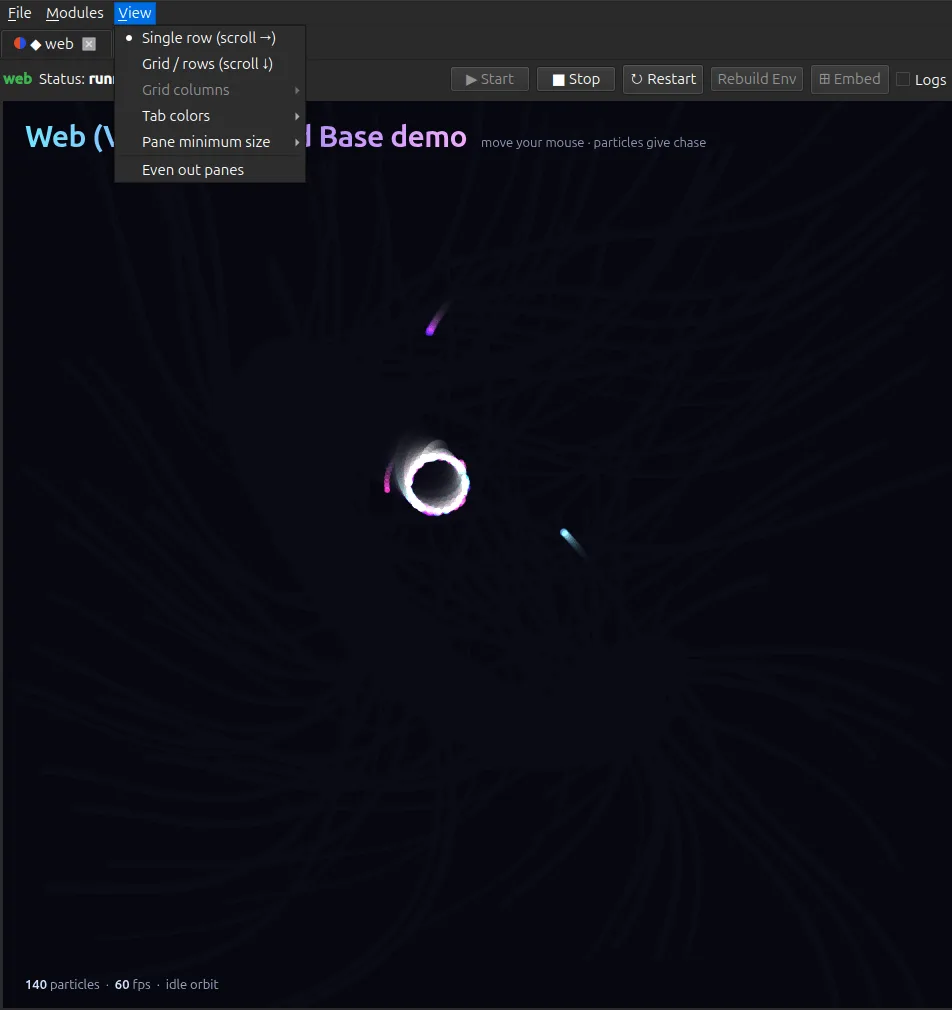
- A single resizable row with draggable handles, or a grid that wraps into rows with a fixed or auto-fit column count.
- Panes have a minimum size and the view scrolls, so loading a sixth module does not squash the other five into slivers.
- Even out panes puts them back to equal widths in one click.
- Any module can go Independent and take the whole window, with the tab bar still there to switch back.
Living with it
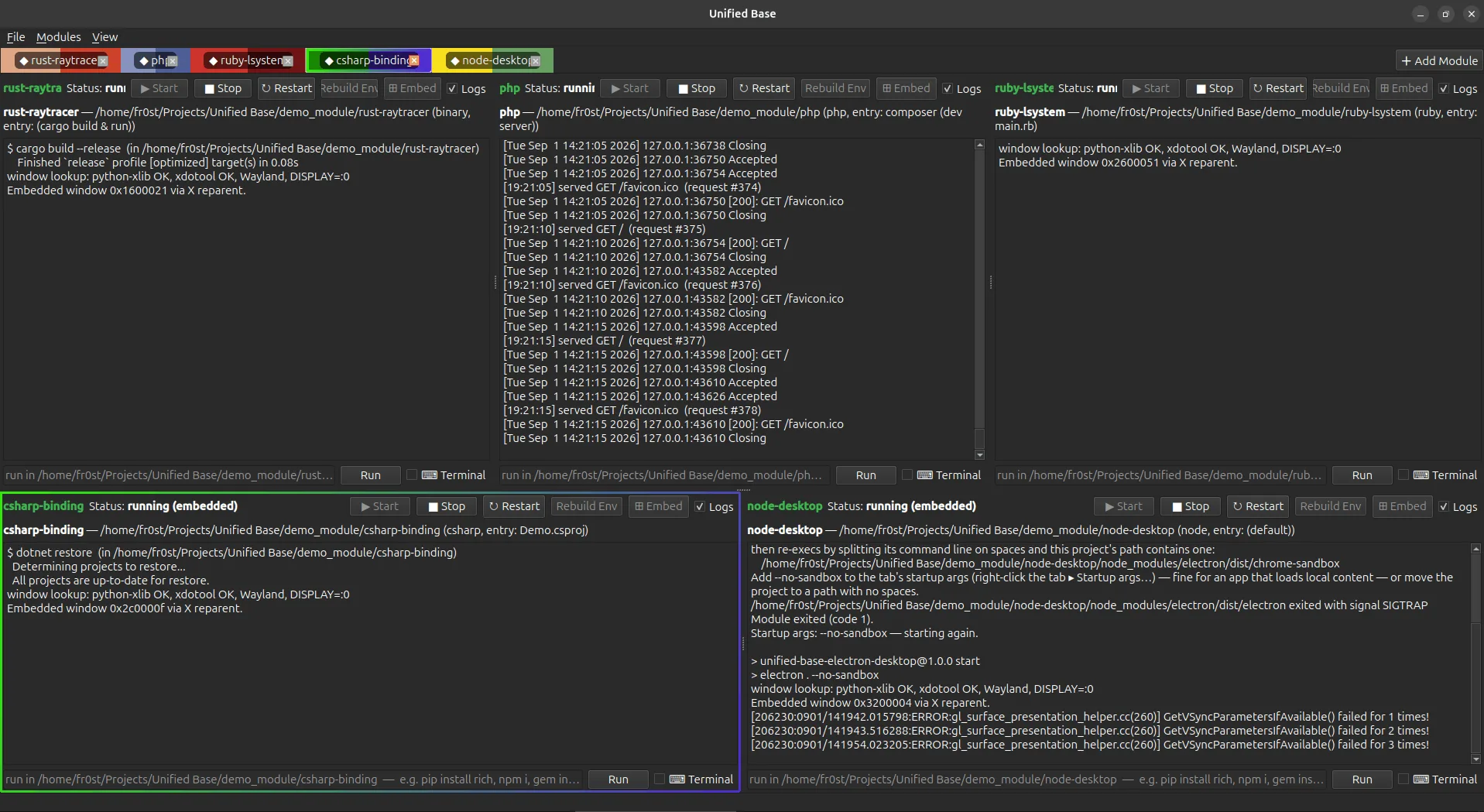
- Per tab: Start, Stop, Restart, Rebuild Env, Embed and a live stdout/stderr log.
- Rebuild Env wipes that module’s environment — venv, node_modules, target, build — and sets it up again from scratch.
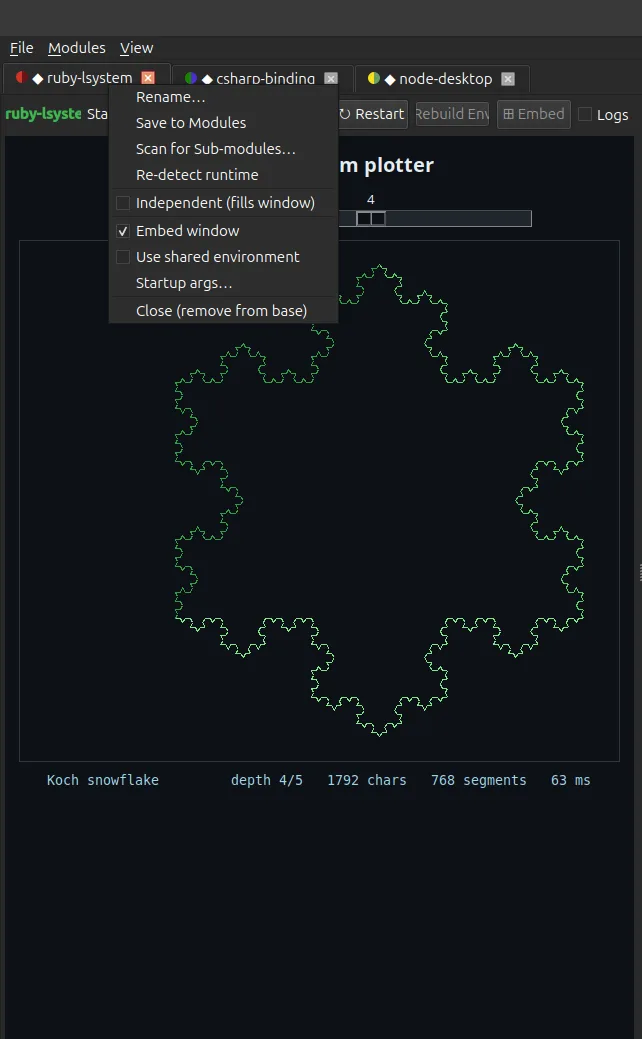
- Scan a folder to bulk-add every subfolder it recognises; scan a module for sub-modules to open its other entry points as their own tabs.
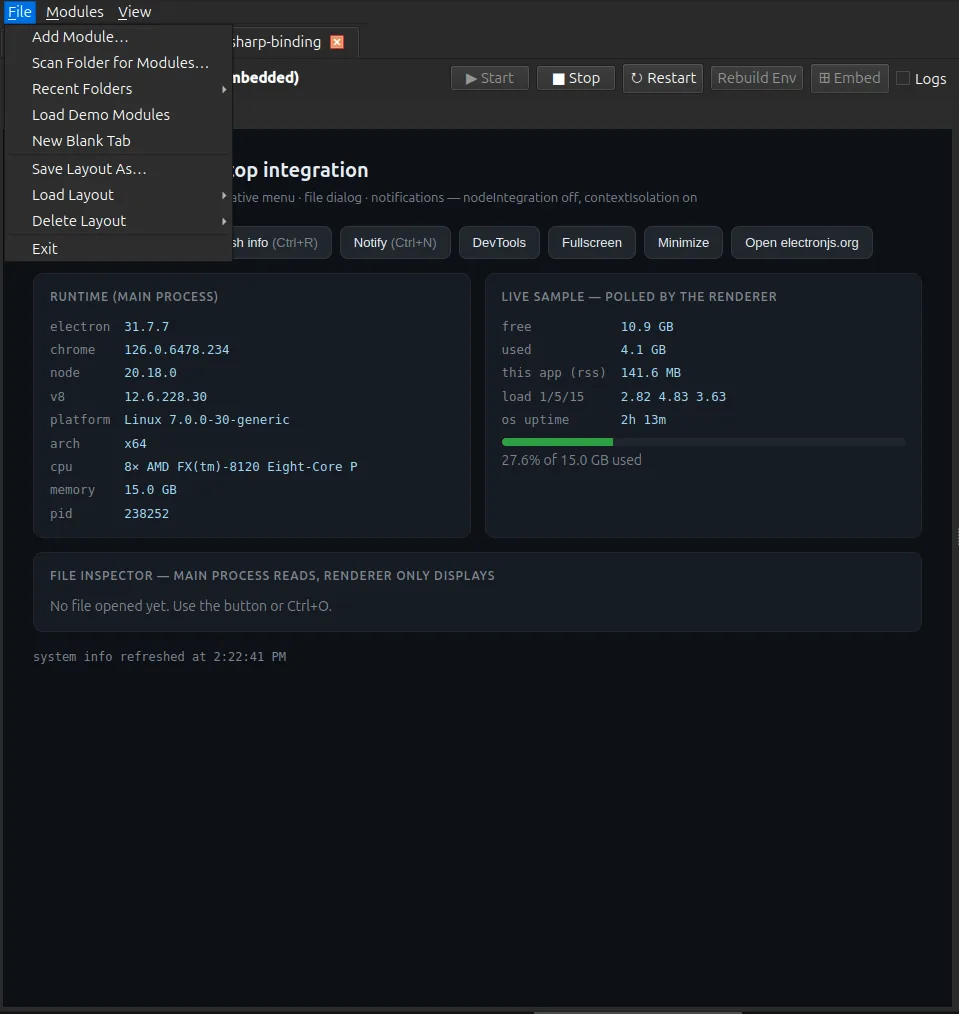
- Save modules to a library, save the whole set of tabs as a named layout, and reload either in one click.
- Per-module environment variables, startup arguments, a shared venv for the heavy dependencies, colour-coded tabs, and rename by double-click.
- No sudo, ever. Everything is user-level.
Screenshots
The same app on both platforms, Linux on the left. Click any shot to open it full size.
Getting hold of it
Unified Base is in beta and not published for download yet. Want a heads-up when it lands? Say so on the contact page.